Instagram Automation for Agencies
20 client workspaces on one subscription, one Instagram account in each, and every limit counted per workspace rather than pooled. One invoice, one renewal date, agency branding, and reporting you can hand to a client without editing it first.
Official Instagram API · Unlimited automated DMs on every plan · INR billing with GST invoices
Instagram DM automation for agencies, priced for a roster
Most tools in this category are priced for one person running one account. An agency hits the seams of that model fast: a subscription per client, a login per client, a renewal date per client, a shared allowance that one client's launch week quietly eats, and a client-facing DM that still carries somebody else's badge.
Liffio's Agency plan bundles 20 complete workspaces into one subscription. Each connects a single Instagram account and behaves as a full Business workspace with its own limits rather than a share of a pool. What follows is the operational detail: isolation, reporting, branding, permissions, and a worked example of running one client end to end. For the mechanics of the automation itself, start with how Instagram comment to DM automation works.
Instagram automation for multiple accounts, one workspace at a time
The workspace is the whole model, so it is worth understanding before you price an engagement on it.
- One workspace, one Instagram account
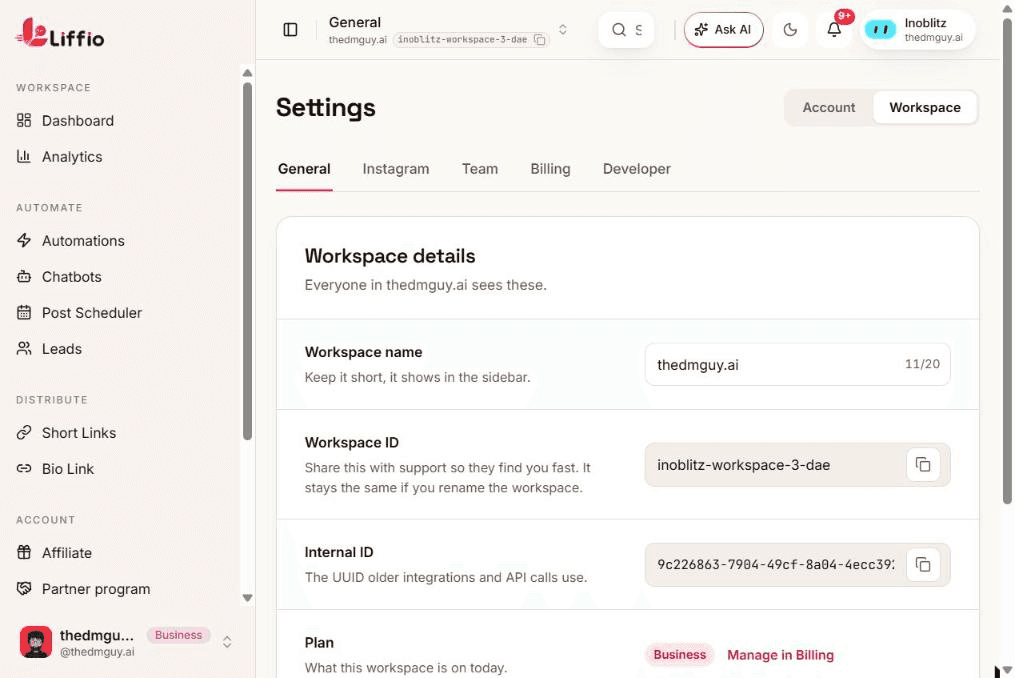
- The workspace is the unit of client work: one connected account, and that account's automations, chatbots, leads, scheduled posts, analytics and team. There is no mode in which two client handles share a workspace, which is what you want when client A must never appear in client B's dashboard.
- Limits are per workspace, never pooled
- Every figure on the Agency plan is a Business workspace figure, counted twenty times over rather than divided twenty ways. A launch week in one workspace cannot starve another, so you can promise a client capacity without first checking what the rest of the roster is doing.
- Switching is a dropdown, not a logout
- You move between the twenty workspaces from one login. No credentials per client, no shared password in a spreadsheet, no signing out of one account to check another.
- One subscription, one invoice, one renewal date
- Twenty workspaces bill as a single line on a single date, so finance codes one invoice rather than twenty and you never reconcile a client roster against a list of separate subscriptions.
| Per workspace, across 20 | Each workspace gets |
|---|---|
| Automations | Unlimited |
| DMs | Unlimited |
| DM follow-ups | 10 |
| Live chatbots | Unlimited |
| Steps per bot | Unlimited |
| Keywords per bot | Unlimited |
| Follow-ups per step | 3 |
| Team members | 15 |
| AI tokens / month | 75,000 |
| API requests / day | 1,000 |
| API keys | 15 |
Read that table twenty times over, not divided twenty ways. The shaded rows are the Liffio API quota, available from Starter up through an API-key authenticated endpoint, which is how agencies with their own dashboards pull workspace data in. Those quotas limit API calls only, not automations, chatbots or scheduling inside the app.
Client reporting: what you can show, and what you cannot
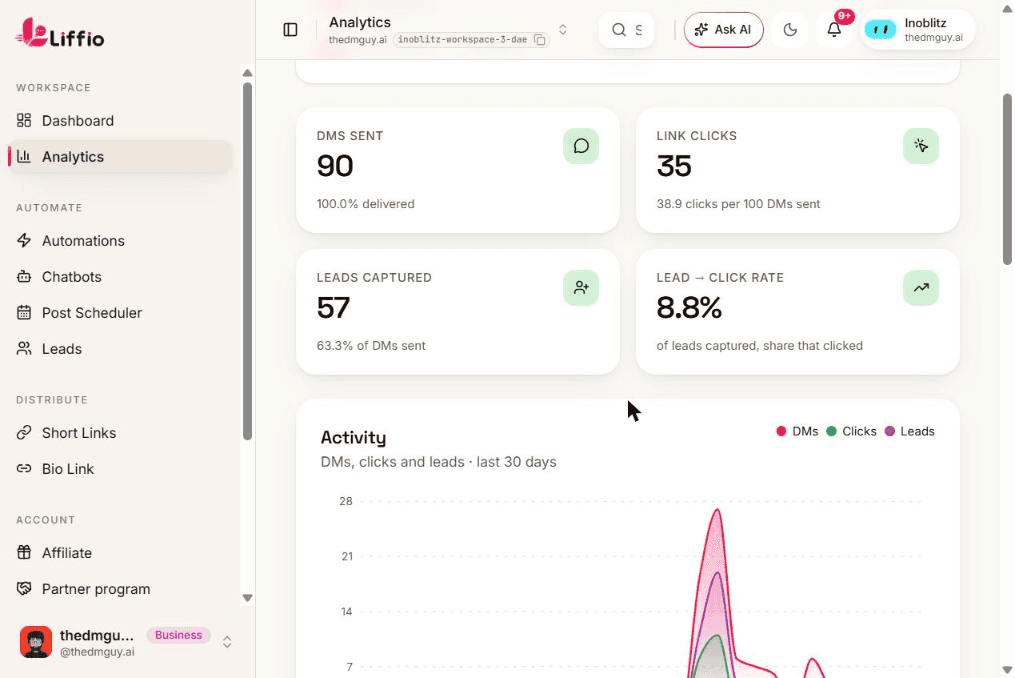
Retainers are renewed on reports, so it is worth being exact about which numbers exist. Liffio tracks the chain the automation creates: the comment that triggered it, the DM that went out, the click on the link inside that DM, and conversion rate on top, per automation, inside the workspace that client owns.
- The comment to DM to click chain
- Analytics follow the funnel the automation creates: comments that triggered, DMs that went out, clicks on the links inside them, and conversion rate on top. Three numbers a client can act on, per automation.
- Per automation attribution
- Business workspaces attribute results to the individual automation, so you can say which campaign did the work instead of reporting one account-level total. With four automations live across a launch, that is the difference between a report and a shrug.
- Ninety days of history, and an export
- Each workspace keeps 90 days of analytics history and can export it, so the numbers reach your deck or sheet rather than a client logging in to a vendor dashboard to read their own results.
- Post, video and profile metrics
- Alongside the automation numbers, each workspace reports post and video metrics and profile outcomes, with AI insights over the top. On a retainer covering content too, both reports stay in one place.
The number Liffio does not give you
Revenue. There is no purchase or sale tracking in the product, so analytics stop at the click. Better to say so here than let you build a reporting template around a figure that does not exist. If a client wants revenue in the report, pair the click numbers from Liffio with the order numbers from their own commerce analytics, and label which side each came from.
Chatbots that qualify the lead before you touch it
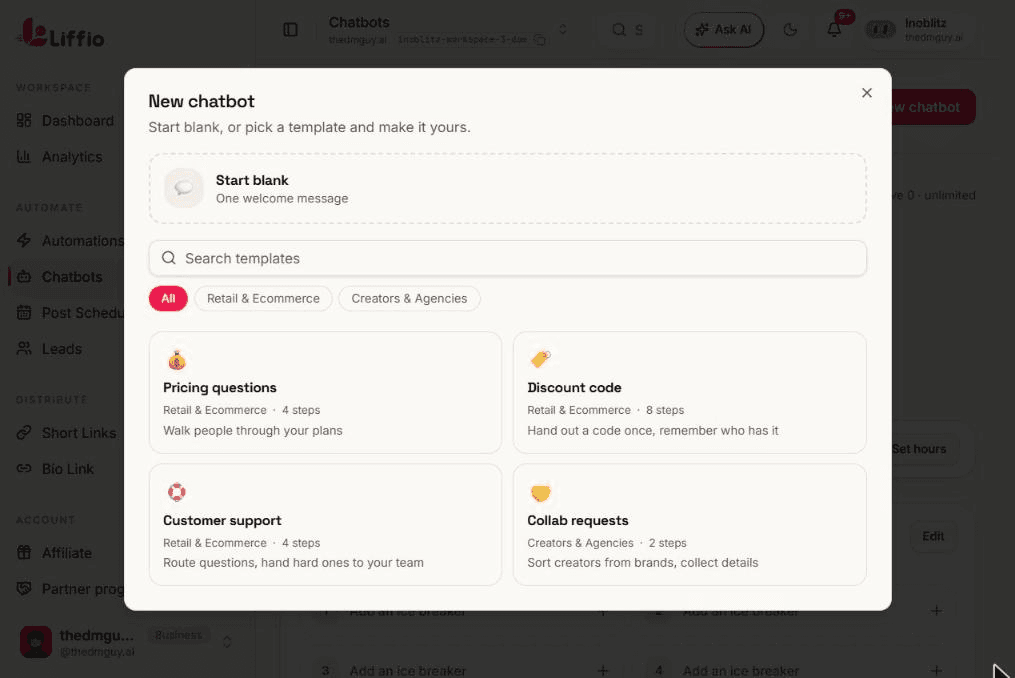
Comment to DM starts the conversation. A chatbot is what carries it, and on the agency plan it is a separate module rather than a longer autoreply. Three parts of it matter when the account belongs to a client rather than to you.
Answers land in the leads list, not in a transcript
When a chatbot asks a question, the answer attaches to that lead rather than sitting in a conversation nobody reads twice. For an agency that means a qualified list per client workspace, exportable, instead of a team member scrolling DMs to find who said they wanted the pricing sheet.
A webhook step hands answers to your own system mid chat
A chatbot step can post what it just collected to your endpoint while the conversation is still open. That is the piece that makes this fit an agency stack: qualified leads reach the client's CRM, your reporting sheet or a Slack channel as they happen, rather than waiting for an export at the end of the month.
Conditions branch the conversation by what people say
Condition rules send someone down a different path depending on their answer, so one bot handles the buyer, the browser and the person who typed the keyword by accident. This is the difference between a chatbot and a canned reply, and it is where a client notices the work.
What each plan allows
| Chatbots | Starter | Growth | Business | Agency |
|---|---|---|---|---|
| Live chatbots | 5 | 15 | Unlimited | Unlimited |
| Condition rules | 5 | 15 | Unlimited | Unlimited |
| Steps per bot | 40 | 100 | Unlimited | Unlimited |
| Keywords per bot | 15 | 40 | Unlimited | Unlimited |
Lead capture into the leads list and the webhook step are Business and Agency features. Conditions start on Starter, so a smaller retainer can still branch a conversation; the Agency plan simply removes the ceiling, per workspace, on all twenty.
White label Instagram automation: the honest version
"White label" is used loosely in this category, so here is the line. Liffio ships agency branding and the ability to hide Liffio branding. It is not a white-label product, and we are not going to call it one.
What ships today
- Agency branding on the Agency plan.
- Hide Liffio branding: the badge comes off the automated DMs, the chatbots and the bio link page.
- Client workspaces you create as you win clients, named however you like.
- Custom bio link slugs and styling, so the client-facing page reads as theirs.
What does not
- A custom domain for the application itself.
- A renamed app, or a client-facing login on your own URL.
- Reseller billing: you cannot invoice your clients through Liffio in your own name.
- A branded client portal separate from the workspace itself.
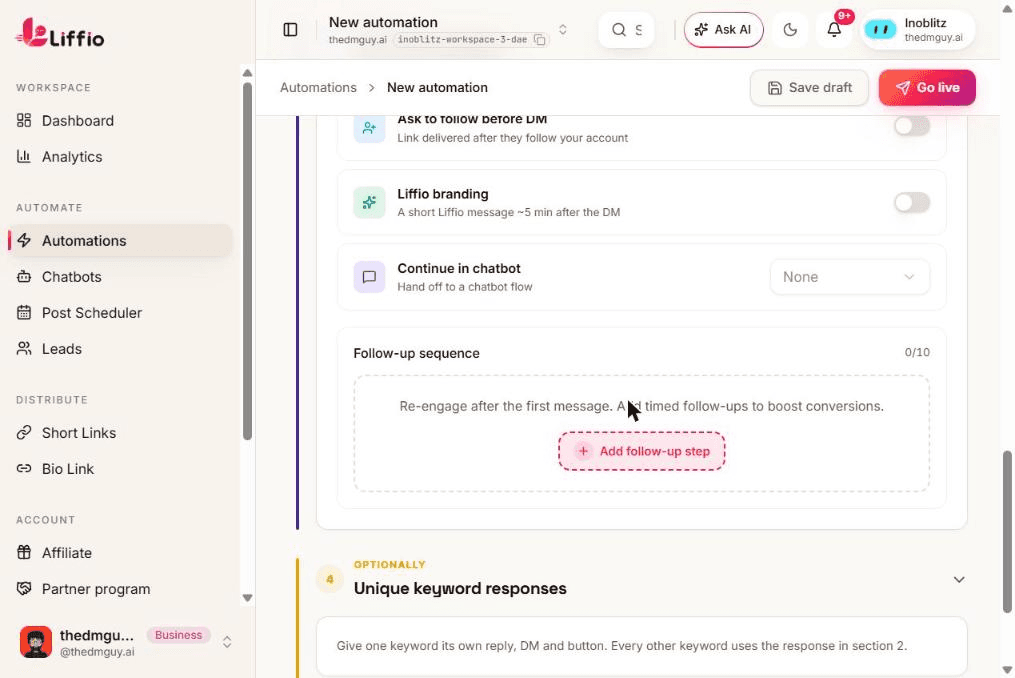
For most agency work the distinction that matters is the output, not the login: the client sees DMs, chatbots and a bio link page with no vendor badge on them. If a true white-label deployment is a hard requirement, say so when you get in touch, and we will tell you whether it is on the roadmap rather than sell you around it.
Team permissions across your people and the client's
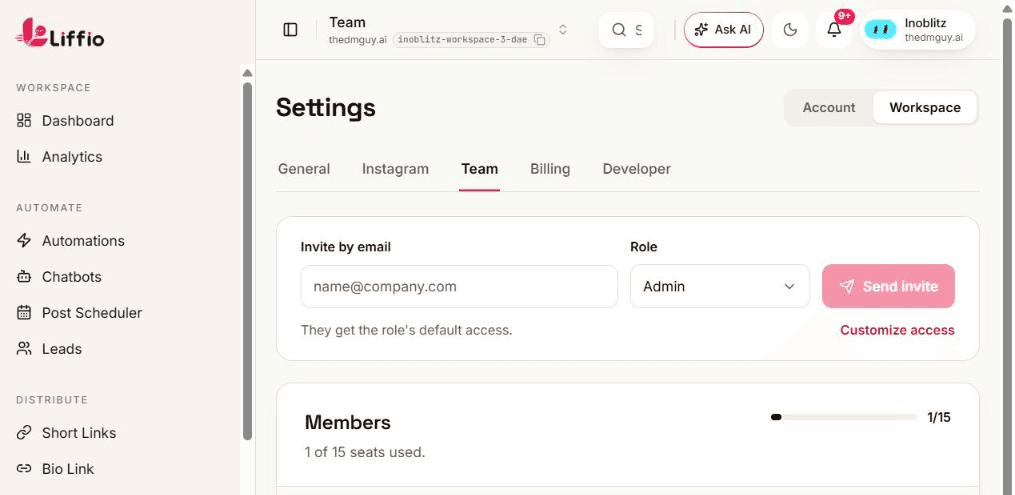
Agency work has two sets of people in it: your team, who build, and the client's, who approve and want to look. Every Agency workspace is a Business workspace, so it carries per person permissions for up to 15 members on top of the team invites and roles every plan has.
Permissions are scoped to the workspace, which is the part that matters here. Inviting a client into their workspace gives them that workspace and nothing else: no visibility of your other clients, and no way to learn from inside the product who else you work with. Your own staff sit in as many workspaces as their job needs.
Two controls do the heavy lifting on a retainer. Post approvals mean a draft is queued by whoever writes it and published only once the named approver signs off, which is how you let a junior work on a nervous client's account. The activity log and audit log record who changed what and when. Two factor authentication is available on every plan, and on client accounts it should not be optional.
Worked example: running one client from kickoff to report
This is a worked example, not a customer story. No agency is named because none is being described: Liffio has no published agency case study yet, and inventing one would be worth less than nothing to you. What follows is the sequence of steps the product supports, in the order you would do them.
Create the workspace before the kickoff call
A new client means a new workspace, created from the switcher in about a minute. Name it after the client, not the handle, because in six months you will be scanning twenty names in a dropdown. The empty workspace costs nothing extra: it is one of the twenty you already pay for.
Have the client connect their own account
On the kickoff call, share your screen and have the client approve the connection themselves through Instagram Login. No password is typed into Liffio or handed to you. Say out loud that they can revoke it from their Instagram settings whenever they like: a thirty second line that removes the main objection a cautious client has to automation.
Set permissions and branding while it is still empty
Invite your strategist with build and publish rights, the junior with draft rights, and the client as a reviewer who can approve posts and read their own analytics. Then turn on agency branding and switch Liffio branding off, which is cheaper on day one than retrofitting after the first campaign ships.
Build the launch campaign on one post
Usually a single Reel with a comment keyword. Create the automation, pick the post, set the trigger and excluded keywords, write the public reply and two or three DM variants, and set a send delay so the reply lands a beat after the comment rather than in the same instant. Add the follow-ups the plan allows, then test it from a second account before the client posts.
Add the story and DM layer in week two
Once the comment flow is proven, extend it: story reply and story mention triggers for the launch window, a default reply so DMs matching nothing still get an answer, ice breakers above empty threads, and a chatbot for the questions that keep coming back.
Report at the campaign close, not the month end
Export the workspace analytics for the campaign window and report comments triggered, DMs delivered, clicks earned, conversion rate and the per automation split. Do not put a revenue figure on it unless it comes from the client's own commerce analytics: Liffio does not track sales, and a number you cannot source is a number you will be asked to defend.
Offboard without touching anyone else
The client revokes the connection from their own settings and you archive the workspace. Nothing in the other nineteen moves, your invoice does not change, and the slot is free for the next client.
Repeat that per client and the only thing that changes is the workspace you are in. Steps 1 to 4 are first-week work; a client in steady state after that is a weekly look at the numbers and a new campaign when they post something worth automating.
Agency plan pricing
Twenty complete Business workspaces, one subscription, one invoice, one renewal date. Annual billing charges ten months instead of twelve, so two months are free: $5,490 a year, or ₹2,29,999 a year.
Rupee prices include GST, so the amount you see is the amount you pay. On the dollar price: Billed as an export. No Indian GST applies. Billing runs through Razorpay, and rupee invoices are GST invoices, so an Indian agency is not putting a dollar subscription through a card and explaining a foreign exchange line to a client every month.
Divide the monthly figure by 20 for the per-client cost of a full Business workspace, which is less than a single mid-tier plan bought on its own. The discount is in the bundle, not in a negotiation.
Running fewer accounts than that today? The lower tiers are one workspace each and compare line by line on the Liffio pricing page, which carries the full plan matrix the table above is drawn from. Weighing Liffio against another tool for a roster, the side-by-side comparisons cover the pricing models directly: Liffio versus ReplyRush is the closest match on multi-account work, and Liffio versus LinkDM sets out the flat-pricing side of the per-contact question.
One thing that is not a tier difference: automated DMs are unlimited on every Liffio plan, the free one included. An agency bill does not move because a client's Reel found ten times more people than the brief assumed.
Frequently asked questions
- Can chatbot answers reach our CRM or reporting stack?
- Yes, through the webhook step, which is a Business and Agency feature. A chatbot step can post what it has just collected to your endpoint while the conversation is still open, so a qualified lead reaches the client's CRM, your reporting sheet or a Slack channel as it happens rather than in a monthly export. Answers also attach to the lead inside Liffio, so each client workspace keeps its own exportable list. Condition rules branch the conversation on those answers: 5 on Starter, 15 on Growth, and unlimited on Business and Agency.
- How many Instagram accounts can an agency run on Liffio?
- Twenty. The Agency plan includes 20 workspaces on one subscription, and a workspace connects exactly one Instagram account. There is no pooled allowance and no per-account surcharge inside that twenty, so the twentieth client costs the same as the first. Beyond twenty handles the plan does not stretch: ask us rather than assume it does.
- Are the limits shared across workspaces or counted per workspace?
- Per workspace, and never pooled. Every Agency workspace is a complete Business workspace with its own allowance: unlimited automations, unlimited live chatbots, 15 team members, 75,000 AI tokens a month and a full API quota, each. A client who runs forty automations in a launch week takes nothing away from the other nineteen.
- Is Liffio white label for agencies?
- Not in the full sense. What ships is agency branding plus the ability to hide Liffio branding, so the badge comes off the automated DMs, the chatbots and the bio link page and the client-facing output does not advertise a vendor. What does not ship is a white-label product: no custom domain, no renamed application, no reseller billing in your name, no client-facing login on your own URL. If a true white-label deployment is a hard requirement, Liffio is not that today.
- What can an agency report to a client?
- The chain from comment to DM to click, per automation, per workspace, with conversion rate on top. Each workspace also reports post, video and profile metrics, keeps 90 days of history, attributes results to the individual automation, and exports the numbers into whatever deck or sheet the client already reads. What Liffio does not report is revenue: there is no purchase tracking in the product, so a report claiming attributed revenue would be inventing it.
- Who owns the Instagram connection, the agency or the client?
- The client. The connection is made through the official Instagram API with Instagram Login: the client approves the permissions on Instagram's own consent screen, no password is shared with Liffio or with you, and they can revoke access from their own Instagram settings at any time. Offboarding is clean, and you never hold a credential you would rather not hold.
- Can I give a client limited access to their own workspace?
- Yes. Every workspace has team invites and roles, and Business workspaces, which is what all twenty Agency workspaces are, add per person permissions for up to 15 members. Your strategist can build and publish, a junior can draft without shipping, and the client can see their own workspace and approve posts without touching anyone else's.
- Can an Indian agency pay in rupees with a GST invoice?
- Yes, which is why the plan carries two prices rather than a converted one. Agency is ₹22,999 a month billed natively in rupees through Razorpay, or $549 a month in dollars. Rupee prices include GST, so the amount you see is the amount you pay. On the dollar price: Billed as an export. No Indian GST applies. Annual billing charges ten months instead of twelve in either currency, so two months are free.
- Is it safe to connect client accounts to an automation tool?
- It is when the tool runs on the official Instagram API and you only message people who approached the account. Liffio connects through Instagram Login, its business passed Meta's business verification and access verification, and its Instagram permissions passed App Review. Those are the baseline for any tool on that API rather than a point of difference, so the question to ask of any vendor is whether it uses the official API at all, or signs in as the account and drives the app in a browser.
Also useful: what actually risks a client account · unlimited DMs on every plan · help centre
Walk through an agency setup with us
Tell us how many client accounts you run, what you report today, and where the branding has to be yours. We will tell you which parts Liffio does, which it does not, and what the first week of migration actually looks like.
Talk to us about an agency setupPrefer to read the numbers first? Compare every plan on the pricing page.
20 workspaces on one subscription · Limits per workspace, never pooled · Official Instagram API