
Instagram Comment to DM Automation
Someone comments a word on your Reel. They get the link in their DMs seconds later, without you opening your inbox. Keyword triggers on posts and Reels, unlimited automated DMs on every plan, and a free plan that runs in production.
No credit card required · Setup takes about five minutes
What comment-to-DM actually does
Comment-to-DM automation watches one Instagram post or Reel for a keyword in the comments and sends whoever typed it a direct message. You say "comment LINK for the guide" in the video, and the tool does the rest: it spots the comment, waits the delay you set, and delivers the thing you promised.
The reason it works is that the two halves do different jobs. The comment is public, so it is social proof and it feeds the algorithm. The DM is private, so it is where the link, the price or the booking actually happens. Asking for a comment is also a far smaller request than asking someone to leave Instagram and find your bio link, which is why a Reel with a keyword prompt converts better than the same Reel saying "link in bio".
The work it removes is the dull part. One Reel that lands can pull four hundred people asking the same question, and answering them by hand means four hundred copy-pastes, with the ones who asked at 2am getting an answer at noon. The automation replies to all of them at the same speed.
It is worth saying what this is not. Comment-to-DM is not mass messaging and it does not go looking for people: every DM is a reply to something a specific person did on your own post, seconds earlier, after you asked them to. That is why it keeps working. For the long version of that argument, including what genuinely does get accounts restricted, read whether Instagram DM automation is safe.
What happens between the comment and the DM
Four things, in order. Instagram notices a new comment on a post belonging to a connected account and pushes that event to the tool. The tool compares the comment text with your keyword. If it matches, the reply is queued. After the delay you set, between 10 and 60 seconds, the DM goes out through Instagram's own messaging endpoint, and the public comment reply posts if you turned one on.
That is the whole loop, and knowing it saves a lot of guessing later. There is no browser pretending to be you, no scraping of your comment section, and nothing running on a schedule: the chain starts with an event Instagram sends.
Rule one: one private reply per comment, inside 7 days
Instagram's Private Replies API, which is the mechanism that lets a business DM somebody because they commented, allows exactly one private reply per comment, and only within 7 days of that comment being posted. Every tool on the official API lives under that rule, Liffio included, and no amount of settings changes it. Once that person replies to you, the conversation reopens and follow-ups can go out within 24 hours of their reply, which is the window follow-up sequences run in.
Two practical consequences. A single comment produces a single automated DM, so re-testing with a comment you already used looks like a broken automation when nothing is wrong: use a fresh comment each time. And set the automation up before you promote the post, because a comment older than a week has lost its private reply slot permanently. That is why nobody can point an automation at last month's viral Reel and DM everyone in the thread.
Rule two: non-followers get it in message requests
When you message somebody who does not follow your account, Instagram puts that message in their message requests folder rather than their main inbox. This is Instagram behaviour, not a tool limitation, and it is the single most common reason a creator thinks the automation failed when it delivered fine.
It bites hardest on exactly the posts you care about, since a Reel that travels beyond your followers is mostly commented on by people who do not follow you yet. Two habits fix it: say "check your message requests" out loud in the video, and put the same line in the public comment reply.
How to set up comment-to-DM, step by step
About five minutes end to end, and the last step is the one people skip. If you have never built one before, the first keyword trigger walkthrough covers the same ground at a slower pace, and the longer guide to turning comments into DMs adds the campaign side.
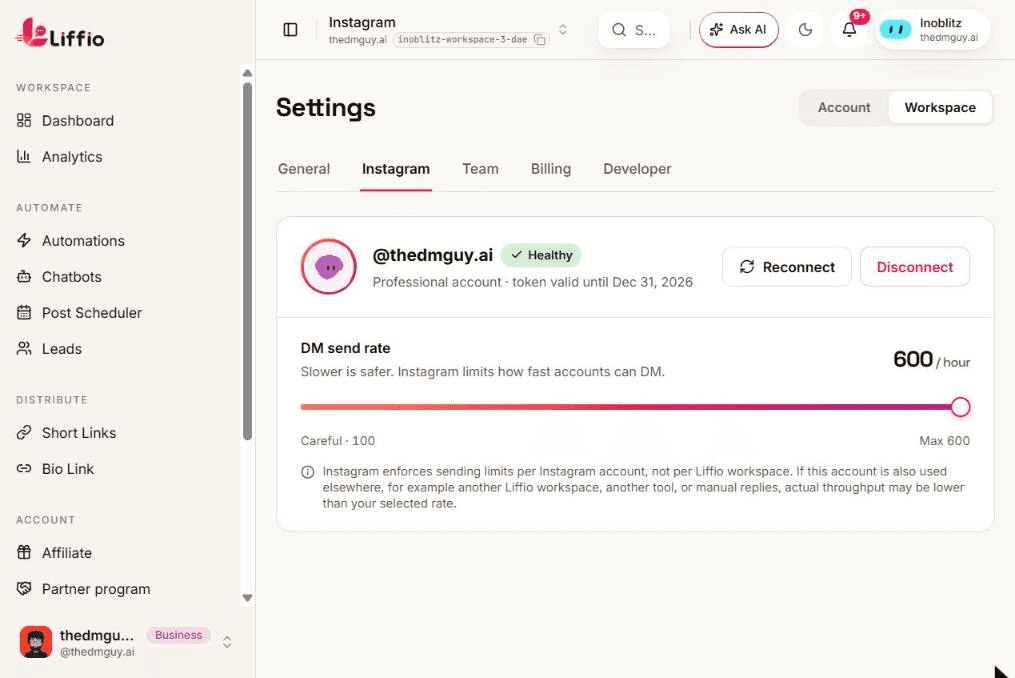
Connect your Instagram account
You authorise Liffio on Instagram's own consent screen through Instagram Login. Instagram lists the permissions being requested, you approve them there, and Liffio receives a token scoped to those permissions. No password is shared with Liffio, and you can revoke access from your Instagram settings whenever you want, without asking anyone.
Your account needs to be a professional account, business or creator, because the messaging permissions only exist for those. Switching is free and takes a minute in Instagram's own settings.
Pick the post or Reel the automation watches
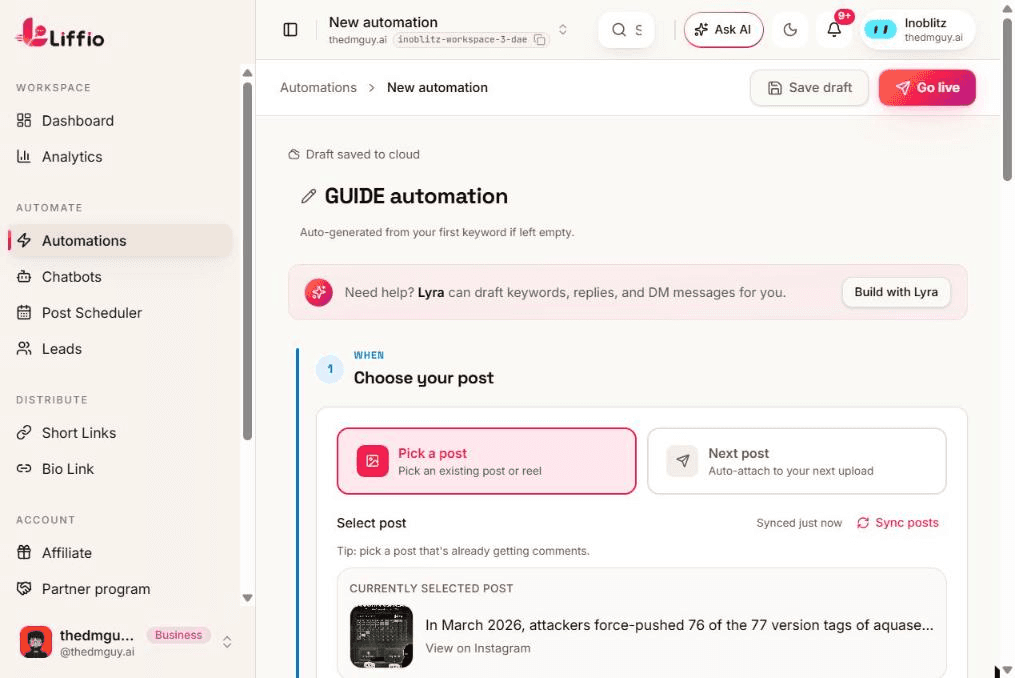
Create a new comment-to-DM automation and choose which post it listens to. Start with one post and one keyword. It keeps the numbers readable while you learn what your audience actually responds to, and a single automation is much easier to debug than three overlapping ones.
Publish the Reel, build the automation against it, test it, and only then start pushing the post. Because of the 7 day private reply window, every minute the post is live without the automation running is comments you cannot go back and answer.
Set the trigger word
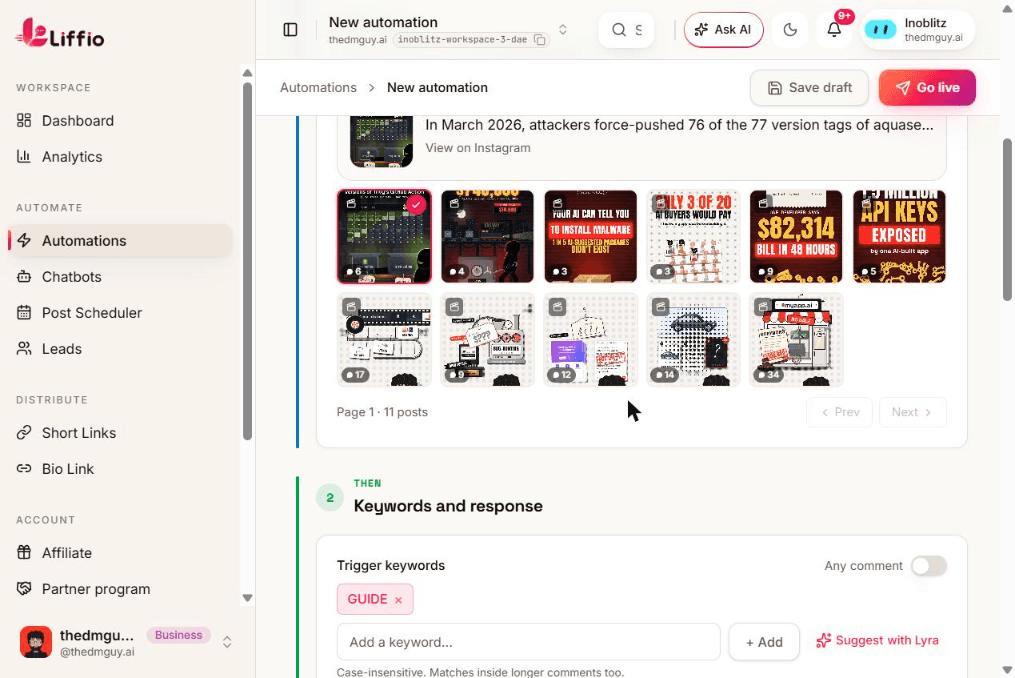
Type the keyword exactly as you want it matched, and use the same word you said out loud in the video. Most people use contains matching, so GUIDE also catches "guide please" and "GUIDE!!", which is how people really comment. Short and obvious beats clever: LINK, GUIDE, PRICE, MENU, YES.
Add excluded keywords if your trigger word is common enough to fire on ordinary conversation. If you would rather not ask for a word at all, the any-comment trigger replies to everyone who comments on that post, which suits giveaways where the comment itself is the entry.
Write the DM
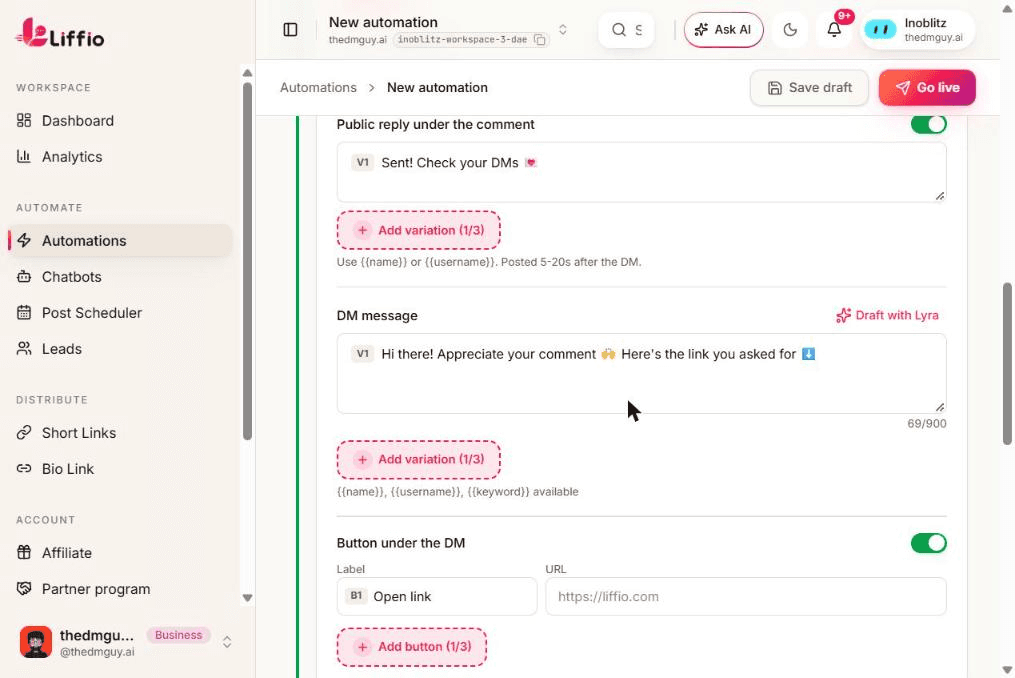
Two or three short lines. Name the thing they asked for in the first line so it is obvious this is the message they expected, then give the link, either on its own line or as a tappable DM button. Resist the urge to pitch in the same message: the person raised their hand for one specific thing, and the fastest way to get blocked is to be a disappointment.
Write it the way you talk. The DM arrives from your account, so a message that sounds like a brochure undoes the goodwill the Reel earned. Worked examples are in the Instagram DM scripts guide.
Set the delay and the public reply
Pick a delay between 10 and 60 seconds. An instant reply reads as robotic, and most creators sit somewhere between 15 and 45 seconds. Shorter for a time sensitive drop, longer for an evergreen freebie.
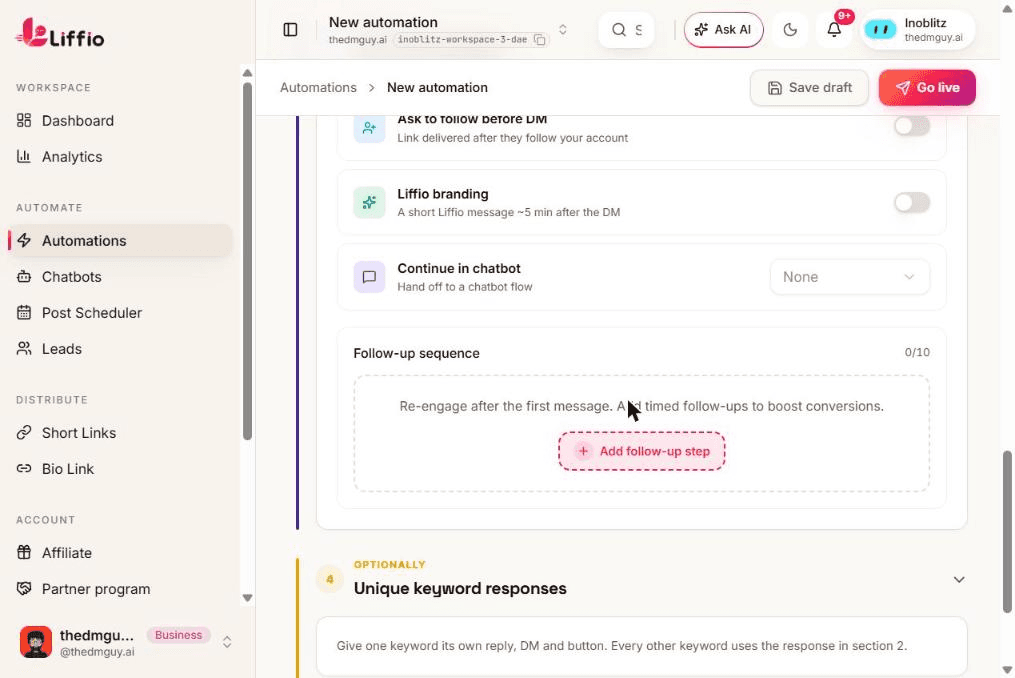
Then turn on the public comment reply. One visible line, something as plain as "Sent, check your message requests", does two jobs: it tells the commenter the automation worked so they stop commenting again, and it tells everyone scrolling the comments that the thing is real. Add a few reply variants so forty identical sentences do not stack up under the post.
Test it from a second account, then promote the post
Switch the automation on and comment the keyword from an account that is not yours. Check three things: the DM arrives, the link opens properly on a phone, and the public reply reads the way you meant it. Look in message requests on the test account, not just the inbox, and remember that each test needs a brand new comment because of the one reply per comment rule.
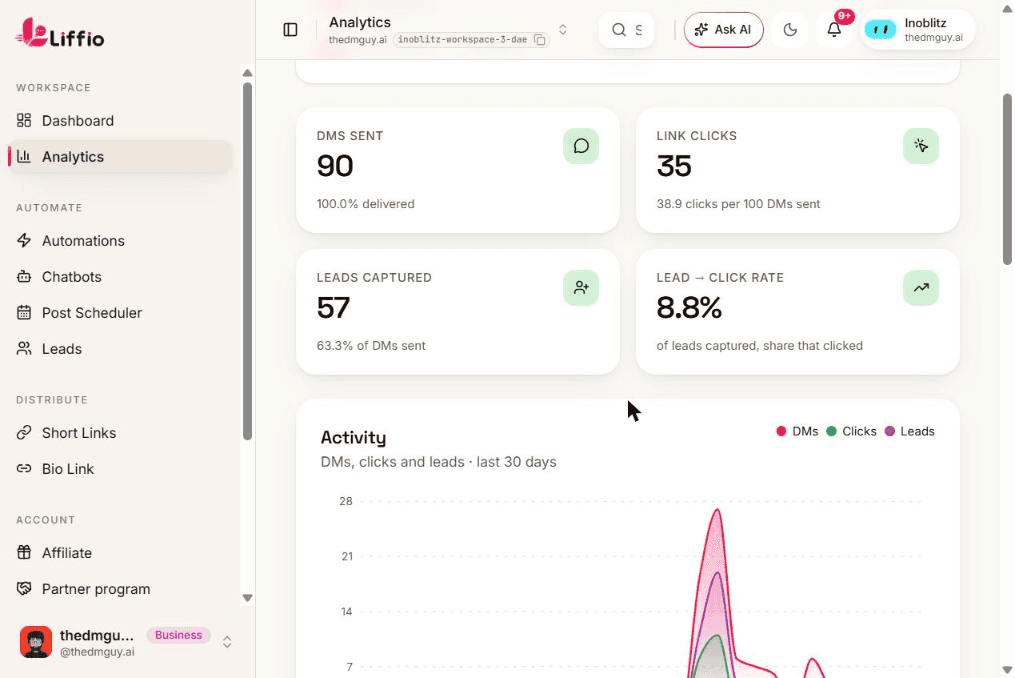
Once it works, push the post and watch the chain: comments, then DMs sent, then link clicks. The gap between any two of those tells you what to fix. Lots of comments and few DMs is usually a keyword mismatch; lots of DMs and few clicks is the message copy.
What you can trigger and what the reply can carry
Every item below is on every plan, free included.
- Keyword triggers
- The word a commenter types to start the automation.
- Excluded keywords
- Words that stop an automation firing, for keywords common enough to catch unrelated comments.
- Any comment trigger
- Fires on every comment on a post, for when you do not want to ask for a specific word.
- Public replies
- A visible comment back under the original comment, so the commenter knows a DM is coming.
- Reply variants
- Several versions of the public reply, rotated, so the comment section does not read as one repeated line.
- DM button
- A tappable button in the DM instead of a bare URL.
Paid plans add a multi-keyword trigger builder, a follow-before-DM gate, follow-up sequences for the people who do not reply the first time, and the option to turn Liffio branding off. Comments are not the only trigger: story replies and story mentions start the same kind of automation from a Story. See what each plan includes →
What people actually use comment-to-DM for
Creators
The classic one: a Reel that teaches something small, ending with "comment GUIDE and I will send you the whole thing". The guide, template, playlist or notion board goes out automatically, and the comment count that comes with it pushes the Reel further than a bio link ever would. Three posts running at once is plenty to learn from, which is exactly what the free plan's 3 automation workflows cover.
The part creators underrate is reusing the winner. A keyword automation on an evergreen Reel keeps delivering for months with no further work, so rebuilding your best performing post with a cleaner hook usually beats chasing a new idea. On paid plans, the follow-before-DM gate turns the same post into follower growth, and follow-up sequences give you a second line to the people who opened the first message and did nothing.
Online stores
Launches and restocks, mostly. A post announcing the drop, a keyword, and the DM carries the product link or a code. The automation catches people at the moment they are looking at the product rather than hoping they come back through a bio link later, and it handles the questions that otherwise eat your afternoon: sizing, shipping, stock, price. One automation per repeat question is a reasonable way to start.
Because DMs are unlimited on every plan, a post that outperforms does not turn into a bill, which matters more for stores than for anyone: your best day should not be your most expensive one. The analytics follow the chain from comment to DM to click, so you can tell which posts produce intent rather than noise. Longer version in comment-to-DM for online stores.
Coaches and course sellers
Here the DM is the top of a longer conversation, so the thing you send matters more than the speed. A webinar replay, a syllabus, a price list, an application form: one keyword each, often on different posts, so you can tell which content pulls buyers rather than browsers. PRICE is a good keyword to run deliberately, because the people who comment it have told you something useful about themselves.
If somebody shares their email in the DM thread it is stored with that lead, and you can export the list as a CSV. Keep the first message to one job: sending the replay, the application and a discount in one DM reliably gets you none of the three, and follow-up sequences on paid plans exist so the second ask can arrive later.
Agencies
Agencies run the same three or four automation shapes across a lot of accounts, so what decides the tool is the billing and the admin rather than the feature list. One workspace connects one Instagram account, and the Agency plan bundles 20 workspaces into a single subscription with one invoice and one renewal date. Branding comes off from Starter up, which matters when the client sees the DM.
The per-contact pricing used by the bigger multi-channel platforms is worth modelling before you commit, because it turns a client's good month into your bad one. That comparison is the whole point of the free ManyChat alternative breakdown, and there are head to head pages for the Instagram-only tools too: Liffio versus ReplyRush and Liffio versus LinkDM.
When it does not work, it is usually one of these five things
In rough order of how often each one turns out to be the answer.
- The DM is in message requests, not the inbox
- If the recipient does not follow you, Instagram files your message under requests. Nothing is broken and no tool can change it. Say so in the video and in the public reply, and a good share of the confused replies disappear.
- The keyword did not match what people typed
- People comment what they heard, with typos, emoji and extra words. Contains matching catches 'guide pls' and 'GUIDE!!' where exact matching does not. If a word is common enough to fire on ordinary conversation, keep it and add the offenders as excluded keywords rather than inventing a stranger keyword nobody remembers.
- The comment already used its one private reply
- One private reply per comment, within 7 days, is the platform rule. A comment that has already been answered cannot be answered again, so re-testing with the same comment looks like a failure when it is not. Use a fresh comment every time. Once the person replies to you, the conversation reopens and you can send follow-ups within 24 hours of their reply.
- The automation is on the wrong post
- Two drafts of the same automation, one pointed at the old version of the Reel, is the single most common setup mistake. Open the automation and confirm the post thumbnail is the one you are about to promote.
- The DM landed but nobody clicked
- That is a copy problem, not a delivery problem. Check the analytics chain: comments, DMs sent, then clicks. If DMs are high and clicks are low, the message is asking for too much, the link is buried, or the thing you promised in the video is not the thing in the DM.
The pattern behind most of them is promising one thing in the video and setting up another in the builder. There is a longer list of the ways this goes wrong in common Instagram automation mistakes.
What comment-to-DM costs
The DMs themselves are not metered. Automated DMs are unlimited on every Liffio plan, free included, and there is no per-contact fee, so a Reel that outperforms does not produce a bill you did not plan for. What the plan decides is how many automation workflows you can have at once: 3 on Free and 50 on Starter. Unlimited automations from Growth up. Chatbots are counted separately, with 2 live chatbots on the free plan.
Paid plans start at $9 a month, or Rs.499 with native INR billing and GST-friendly invoices through Razorpay. The free plan is not a trial: it has no expiry and asks for no card.
Unlimited DMs on a free plan is unusual enough to be worth checking against whatever else you are considering, because the pricing model is the part you feel in six months. What unlimited DMs means in practice → · Compare Liffio with other comment-to-DM tools → · Liffio versus InstaChamp →
It runs on the official Instagram API
You connect through Instagram Login, which means you approve the permissions on Instagram's own consent screen. Liffio never asks for, sees or stores your password, and you can revoke access from Instagram at any time without talking to anyone.
That distinction matters more than any feature on this page. The tools that get accounts restricted are generally the ones that sign in as you and drive the app in a browser, because to Instagram that traffic is indistinguishable from a bot operating your account. An automation running on the documented API is doing something Instagram built an endpoint for.
It is also why the two rules higher up this page are worth knowing. One private reply per comment and a 7 day window are not somebody's product decision, they are the shape of the endpoint, and a tool that claims to get around either of them is telling you it is not using it.
Frequently asked questions
- What is Instagram comment-to-DM automation?
- Comment-to-DM automation watches a chosen Instagram post or Reel for a keyword in the comments, then sends that commenter a direct message automatically. You tell people to comment a word such as LINK or PRICE, and whoever comments it receives the link, guide, price list or code in their DMs without you typing anything. It is the standard way creators and small shops answer the same question hundreds of times from one post.
- Can I do comment-to-DM for free?
- Yes. Liffio's free plan includes comment keyword triggers on feed posts and Reels, public comment auto-replies, and unlimited automated DMs, with no credit card and no trial expiry. The free plan runs 3 automation workflows at a time, which covers one keyword each on three posts. Paid plans start at $9 a month (Rs.499 in India) and raise that to 50 workflows, then unlimited from Growth up.
- Does comment-to-DM work on Reels?
- Yes, on both feed posts and Reels, and the behaviour is the same on each. Reels are where most comment-to-DM volume comes from, because a Reel reaches people who do not follow you yet and a comment is the lowest-effort thing they can do. If a Reel takes off, the automation keeps sending whether it draws 50 comments or 50,000, because automated DMs are not capped on any Liffio plan.
- How quickly does the DM arrive?
- You choose the delay, anywhere from 10 to 60 seconds. Instant replies can read as robotic and a short pause gives the message a conversational rhythm, so most creators sit around 15 to 45 seconds. The delay is set per automation, so a time-sensitive drop can run faster than an evergreen guide.
- Can one comment trigger more than one DM?
- No, and this is a platform rule rather than a tool limit. Instagram's Private Replies API allows exactly one private reply per comment, and only within 7 days of that comment being posted. So a single comment gets a single automated DM, from any tool, Liffio included. Two separate comments from the same person are two comments, and each can receive its own reply, which is usually why somebody reports getting the message twice. Follow-ups are still possible, but only after the person replies to you, and they have to go out within 24 hours of that reply. That is how a follow-up sequence stays inside the rules. The 7 day window is also why you set the automation up before you promote the post: once a comment is older than a week, its private reply slot has closed for good.
- Does the person need to follow me to receive the DM?
- No. Anyone who comments the keyword can receive the DM whether they follow you or not. What changes is where it lands: Instagram files messages from accounts you do not follow under message requests rather than in the main inbox. That is Instagram's behaviour and it applies to every tool on the official API. Two things help: say "check your message requests" in the video, and repeat it in the public comment reply.
- What if the same person comments the keyword twice?
- Turn on the public reply. A visible comment back, something as plain as 'Sent you a DM with the link', tells the commenter the automation worked and stops them commenting five more times because they assumed it broke. Reply variants let you rotate the wording so a post's comment section does not read as the same sentence forty times over.
- Which keyword should I use?
- Short, obvious, and the exact word you said out loud in the video. LINK, GUIDE, PRICE and YES work because they are easy to spell on a phone and easy to remember from a five-second hook. If the Reel says 'comment MENU', do not set the trigger to DOWNLOAD, because people comment what they heard. Excluded keywords are there for the cases where a common word would otherwise fire on unrelated comments.
- The keyword was commented and no DM arrived. What now?
- Work through it in this order. Check the automation is switched on and pointed at the post you are actually promoting, since a duplicate draft is the most common cause. Check the keyword against what people really typed, because 'guide please' only matches GUIDE with contains matching on. Check message requests on the test account, not just the inbox. And check whether that comment already used its one private reply, which is what makes a repeat test look like a failure.
Set up your first keyword today
Connect Instagram, pick a post, type a word. The free plan runs three automations with no card and no expiry.
Start freeUnlimited automated DMs on every plan · No per-contact fees · Official Instagram API